> ## Documentation Index
> Fetch the complete documentation index at: https://docs.summate.io/llms.txt
> Use this file to discover all available pages before exploring further.
# Welcome to Summate
> Your Personal Digest for Everything You Follow
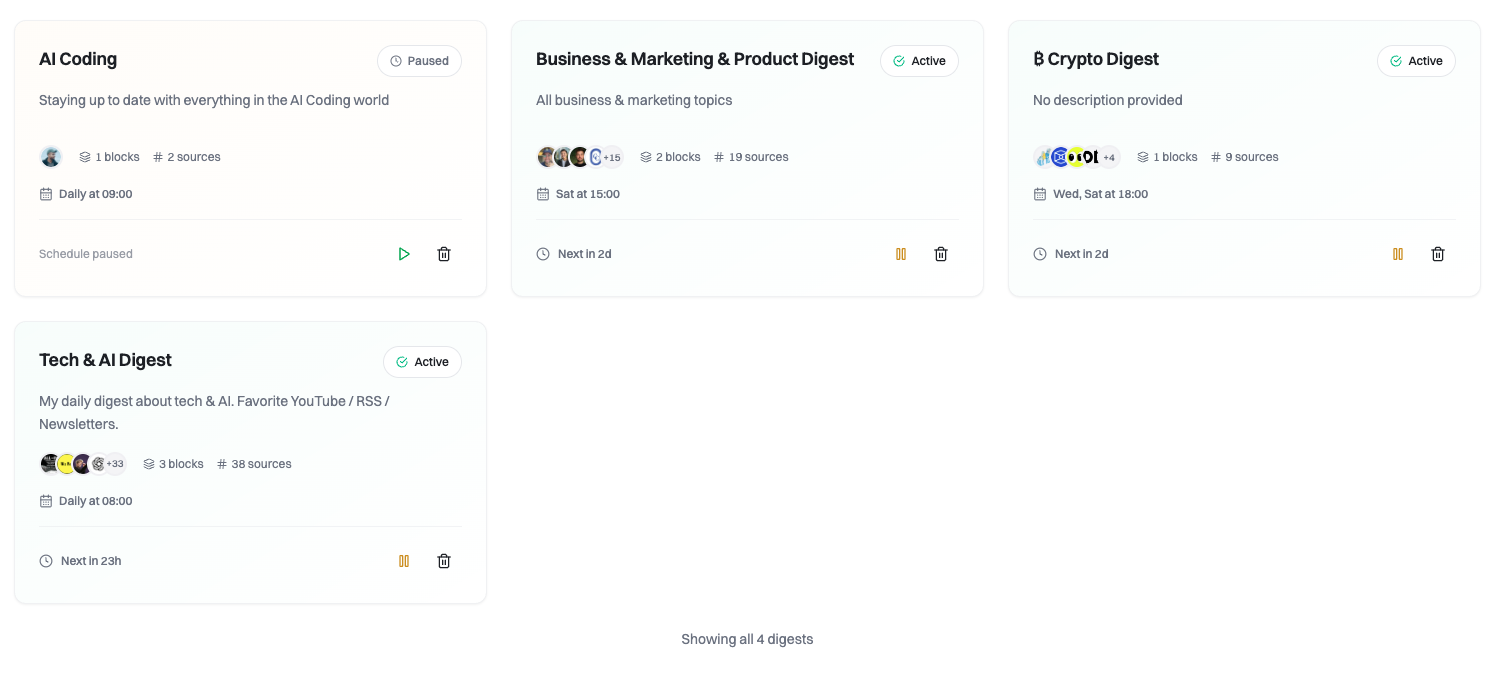
Summate transforms your information overload into actionable insights by creating AI-powered digests from newsletters, YouTube videos, and blogs—all delivered on your schedule.
 ## What is Summate?
Instead of checking multiple inboxes, apps, and websites throughout the day, Summate automatically:
* **Collects** content from your newsletters, YouTube subscriptions, and RSS feeds
* **Summarizes** everything using AI based on your interests and custom instructions
* **Delivers** personalized digests on your schedule (daily, weekly, or monthly)
## How It Works
Add newsletters via email forwarding, import YouTube subscriptions, or connect RSS feeds from your favorite blogs.
Build digests by adding blocks for different content types. Organize by topic, source type, or reading time.
Add custom instructions to tell AI what to focus on. Get TLDR summaries and clickable key takeaways.
Your digests arrive via email and web at your chosen times. Read with embedded content and keyboard shortcuts.
## Why Summate?
Stop spending hours reading newsletters and watching videos. Get AI-generated summaries with key takeaways.
All your content sources in one place. No more switching between email, YouTube, and RSS readers.
Custom instructions at block, digest, or account level. AI learns what matters to you.
Digests delivered via email and web. Embedded content, keyboard shortcuts, and full history.
## Explore Key Concepts
Scheduled AI summaries delivered on your timeline
Organize newsletters, YouTube, and RSS sources
Customize summaries with custom instructions
Private email address for newsletter collection
Email delivery and web reader options
Manage your content providers
## Who Uses Summate?
**Use Case:** Stay updated on tech news, frameworks, and industry trends without spending hours reading.
**Example Digest:** Morning Tech Brief
* AI newsletters (The Batch, Import AI)
* Dev blogs (Kent C. Dodds, Josh Comeau)
* YouTube channels (Fireship, Theo)
* Custom instructions: "Focus on practical applications and code examples"
**Use Case:** Monitor market trends, startup news, and business insights efficiently.
**Example Digest:** Market Intelligence
* Financial newsletters (Stratechery, The Diff)
* VC blogs (First Round, a16z)
* Business YouTube (Y Combinator, All-In Podcast)
* Custom instructions: "Highlight market trends and predictions"
**Use Case:** Research trends, competitor content, and industry best practices.
**Example Digest:** Content Inspiration
* Marketing newsletters (Marketing Brew, Content Marketing Institute)
* Creator blogs (Nathan Barry, Tim Ferriss)
* YouTube tutorials (Ali Abdaal, Peter McKinnon)
* Custom instructions: "Focus on actionable tactics and real examples"
**Use Case:** Track publications, papers, and developments in specific fields.
**Example Digest:** Research Roundup
* Academic RSS feeds
* Research newsletters
* Educational YouTube channels
* Custom instructions: "Summarize methodologies and key findings"
## Get Started in 5 Minutes
Set up your first digest in under 5 minutes with our step-by-step guide.
Connect your existing newsletters from Gmail, Outlook, or any email provider.
Common questions about pricing, features, and troubleshooting.
## Next Steps
Ready to stop drowning in content?
**Sign up at summate.io** - No credit card required for 14-day trial
Or explore the docs to learn more:
Learn how digests and blocks work
Customize summaries with instructions
Get your unique newsletter address
## What is Summate?
Instead of checking multiple inboxes, apps, and websites throughout the day, Summate automatically:
* **Collects** content from your newsletters, YouTube subscriptions, and RSS feeds
* **Summarizes** everything using AI based on your interests and custom instructions
* **Delivers** personalized digests on your schedule (daily, weekly, or monthly)
## How It Works
Add newsletters via email forwarding, import YouTube subscriptions, or connect RSS feeds from your favorite blogs.
Build digests by adding blocks for different content types. Organize by topic, source type, or reading time.
Add custom instructions to tell AI what to focus on. Get TLDR summaries and clickable key takeaways.
Your digests arrive via email and web at your chosen times. Read with embedded content and keyboard shortcuts.
## Why Summate?
Stop spending hours reading newsletters and watching videos. Get AI-generated summaries with key takeaways.
All your content sources in one place. No more switching between email, YouTube, and RSS readers.
Custom instructions at block, digest, or account level. AI learns what matters to you.
Digests delivered via email and web. Embedded content, keyboard shortcuts, and full history.
## Explore Key Concepts
Scheduled AI summaries delivered on your timeline
Organize newsletters, YouTube, and RSS sources
Customize summaries with custom instructions
Private email address for newsletter collection
Email delivery and web reader options
Manage your content providers
## Who Uses Summate?
**Use Case:** Stay updated on tech news, frameworks, and industry trends without spending hours reading.
**Example Digest:** Morning Tech Brief
* AI newsletters (The Batch, Import AI)
* Dev blogs (Kent C. Dodds, Josh Comeau)
* YouTube channels (Fireship, Theo)
* Custom instructions: "Focus on practical applications and code examples"
**Use Case:** Monitor market trends, startup news, and business insights efficiently.
**Example Digest:** Market Intelligence
* Financial newsletters (Stratechery, The Diff)
* VC blogs (First Round, a16z)
* Business YouTube (Y Combinator, All-In Podcast)
* Custom instructions: "Highlight market trends and predictions"
**Use Case:** Research trends, competitor content, and industry best practices.
**Example Digest:** Content Inspiration
* Marketing newsletters (Marketing Brew, Content Marketing Institute)
* Creator blogs (Nathan Barry, Tim Ferriss)
* YouTube tutorials (Ali Abdaal, Peter McKinnon)
* Custom instructions: "Focus on actionable tactics and real examples"
**Use Case:** Track publications, papers, and developments in specific fields.
**Example Digest:** Research Roundup
* Academic RSS feeds
* Research newsletters
* Educational YouTube channels
* Custom instructions: "Summarize methodologies and key findings"
## Get Started in 5 Minutes
Set up your first digest in under 5 minutes with our step-by-step guide.
Connect your existing newsletters from Gmail, Outlook, or any email provider.
Common questions about pricing, features, and troubleshooting.
## Next Steps
Ready to stop drowning in content?
**Sign up at summate.io** - No credit card required for 14-day trial
Or explore the docs to learn more:
Learn how digests and blocks work
Customize summaries with instructions
Get your unique newsletter address